Watch Reddit from Claude.
ThreadScope's MCP server connects your AI - Claude, Cursor, Codex, ChatGPT or anything that speaks MCP - to your triage inbox. Ask what's new, what's worth replying to, and what ThreadScope drafted. Read-only, always: your AI can look, never touch.
https://threadscope.io/api/mcp
Chat clients sign in with OAuth. Config-file clients use an API key. No account yet? Connecting walks you through creating one - or start free now.
Connect your client
claude.ai and Claude Desktop
- Open Settings → Connectors and choose Add custom connector.
- Paste the server URL:
https://threadscope.io/api/mcp - Click Add, then Connect. Your browser opens ThreadScope - sign in (or create an account) and approve.
The claude.ai custom connector dialog with the ThreadScope URL pasted in.
screenshot pending - /docs/mcp/claude-connector-dialog.png
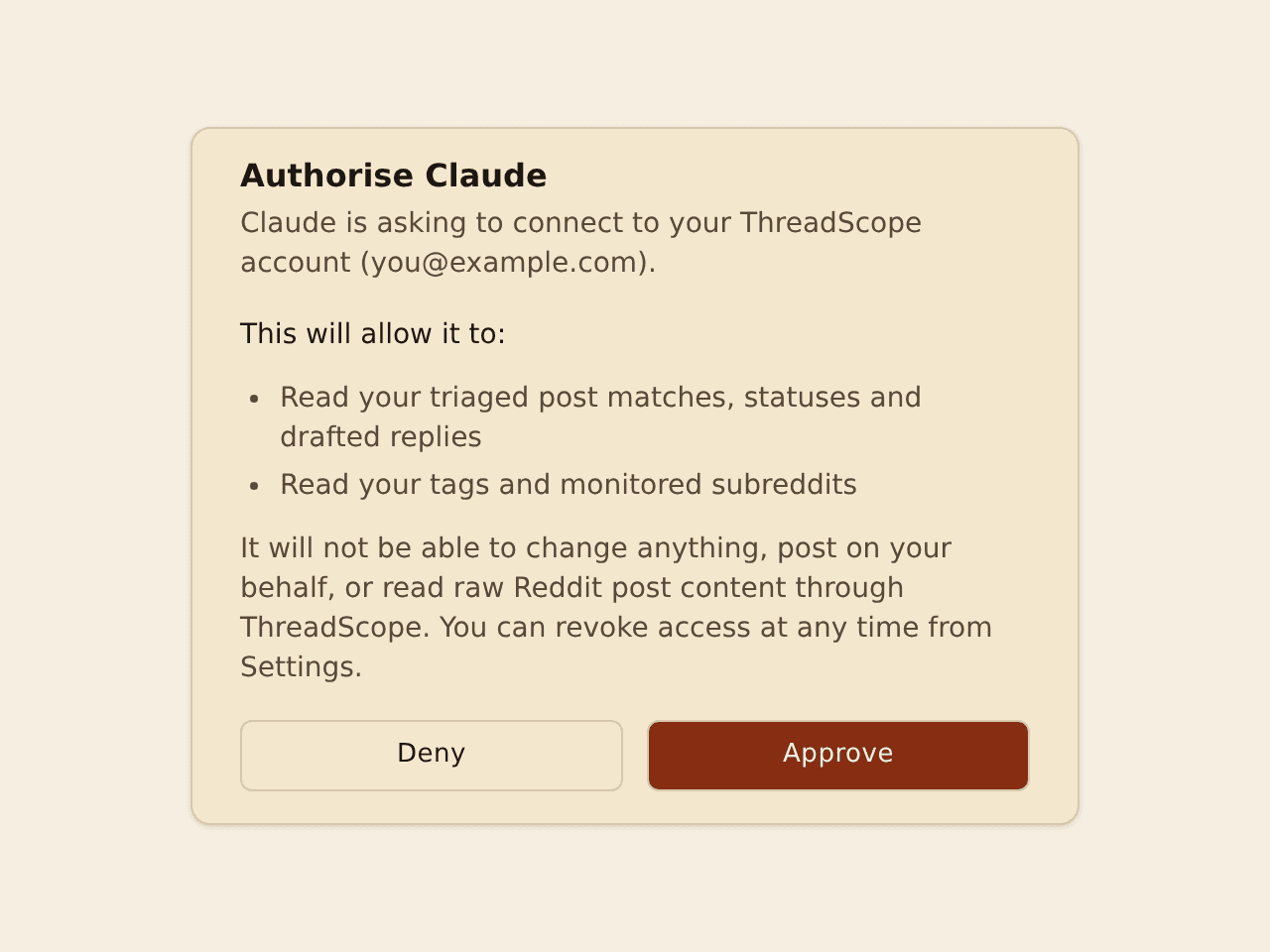
On the Claude free plan you can add one custom connector; paid plans allow more. Claude Desktop uses the same account-level connector - add it once, use it in both.
Claude Code
Add the server, then authenticate in your session:
claude mcp add --transport http threadscope https://threadscope.io/api/mcp
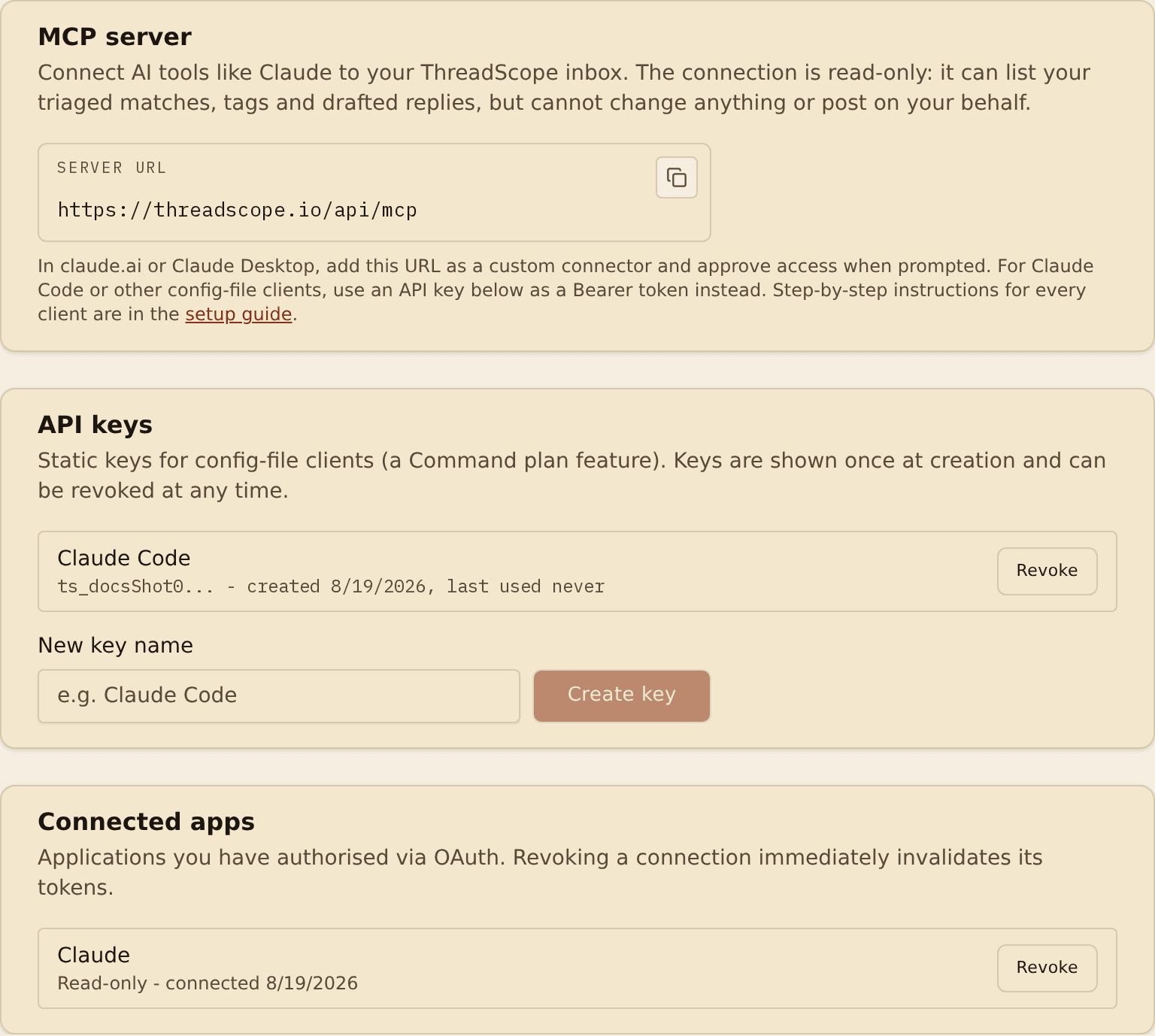
Run /mcp inside Claude Code to complete the OAuth sign-in. For headless or CI use, create an API key under Settings → Connections and pass it as a bearer token instead:
claude mcp add --transport http threadscope https://threadscope.io/api/mcp \
  --header "Authorization: Bearer ts_your_key_here"
Cursor
Add to Cursor with one click - or add it by hand in ~/.cursor/mcp.json:
{
  "mcpServers": {
    "threadscope": {
      "url": "https://threadscope.io/api/mcp"
    }
  }
}
Cursor prompts for the OAuth sign-in on first use.
VS Code (Copilot)
Install in VS Code - or add it to .vscode/mcp.json (note VS Code uses servers, not mcpServers):
{
  "servers": {
    "threadscope": {
      "type": "http",
      "url": "https://threadscope.io/api/mcp"
    }
  }
}
Codex
codex mcp add threadscope --url https://threadscope.io/api/mcp
Codex uses OAuth by default (codex mcp login threadscope). For an API key instead, configure ~/.codex/config.toml:
[mcp_servers.threadscope]
url = "https://threadscope.io/api/mcp"
bearer_token_env_var = "THREADSCOPE_API_KEY"
ChatGPT
- ChatGPT (web, Plus/Pro and above): enable Settings → Apps → Advanced settings → Developer mode.
- Add a connector with the server URL
https://threadscope.io/api/mcpand choose OAuth. - Approve access on the ThreadScope screen that opens.
ChatGPT's developer-mode connector form with the ThreadScope URL.
screenshot pending - /docs/mcp/chatgpt-connector.png
Everything else
Any MCP client that supports remote servers works: point it at https://threadscope.io/api/mcp (streamable HTTP) and sign in with OAuth. If your client can't do OAuth, send an API key as Authorization: Bearer ts_... - create and revoke keys under Settings → Connections.
What your AI can do
Five tools, all read-only. Your AI sees ThreadScope's triage - matches, tags, statuses, drafts - and links back to Reddit for the threads themselves.
| Tool | Access | What it does |
|---|---|---|
| list_matches | Read | Your triaged inbox: matched posts with tags, status and permalinks. Filter by status, tag, subreddit or time. |
| get_match | Read | One match in full, including the drafted reply ThreadScope wrote (Patrol plan and above). |
| get_counts | Read | Inbox counts by status - the quick opener for a daily brief. |
| list_tags | Read | Your tag definitions and search terms, so your AI can explain why something matched. |
| list_subreddits | Read | The subreddits you're monitoring. |
Free and Scout plans get a capped taste; Patrol and above unlock full result sets, time filtering and drafted replies. See plans.
Prompts that earn their keep
- “What's new in my ThreadScope inbox? Give me the five most worth replying to.”
- “Anything urgent in my monitored subreddits since Monday?”
- “Which of my tags matched the most this week?”
- “Show me the drafted reply for that top match, then open the thread.”
- “Every morning at 9, check my ThreadScope matches and brief me.”
- Read-only by design. No tool can change your data or post anywhere. Replying always happens on Reddit, as you.
- Your triage, not a content feed. The connector returns ThreadScope's own work - match metadata, tags, statuses and drafts - with permalinks so you read threads on Reddit itself.
- Revocable in one click. Connected apps and API keys live under Settings → Connections; revoking kills their access immediately.
- Treat thread content as untrusted. Reddit text flowing into any AI can contain prompt injection. ThreadScope screens matches for injection patterns at ingestion, and keeping your client's tool-use confirmations on is good hygiene with every MCP server, ours included.
When it doesn't connect
- The connector says it needs authentication or returns 401.
- Your session expired or the key was revoked. In chat clients, remove and re-add the connector to run the sign-in again. In Claude Code, run /mcp and re-authenticate. For API keys, create a fresh key under Settings, then Connections.
- I get a 403 saying MCP access is not enabled.
- MCP is included with every ThreadScope plan, so a 403 on the base tools means something is off with your account rather than your plan - contact support and we will sort it out.
- My results are capped at 10 posts, or the since filter is refused.
- Larger result sets and time filtering are part of the Patrol plan and above. The free taste is deliberately useful but small - upgrade on the pricing page to lift the cap.
- My client is stuck in an OAuth loop.
- Clients that use the mcp-remote bridge cache credentials in ~/.mcp-auth. Delete that directory and reconnect. Also check your machine clock - OAuth is time-sensitive.
- Can the connector post to Reddit or change my data?
- No. Every tool is read-only. ThreadScope never posts on your behalf; you always click through to Reddit and reply as yourself.
Delegate the watching.
ThreadScope triages your subreddits around the clock. Your AI turns it into a brief. You just reply well.